
React Native Shadow Generator
Shadow Settings
StyleSheet Code
const styles = StyleSheet.create({
  shadowBox: {
    // iOS shadow properties
    shadowColor: "#000000",
    shadowOffset: {
      width: 0,
      height: 2,
    },
    shadowOpacity: 0.25,
    shadowRadius: 3.84,

    // Android elevation property
    elevation: 5,

    // Base styles for preview
    backgroundColor: '#ffffff',
    borderRadius: 8,
    padding: 20,
  },
});
Comments
Similar Coding Tools
See AllURL Slug Generator
Create SEO-friendly URL slugs automatically from any text input with advanced options.
Code to Image Converter
Transform your code snippets into beautiful, shareable images with customizable themes.
MD5 Encrypt/Decrypt
Encrypt strings to MD5 hashes or decrypt MD5 hashes to strings by iterating combinations
What is React Native Shadow Generator?
React Native Shadow Generator is a premium interactive tool designed to solve one of the most common pain points in mobile development: consistent shadows across iOS and Android.
While iOS uses granular shadow properties like offset, opacity, and radius, Android relies on a single elevation property. This tool allows you to visually tweak your shadow effect and instantly provides the React Native code needed for both ecosystems.
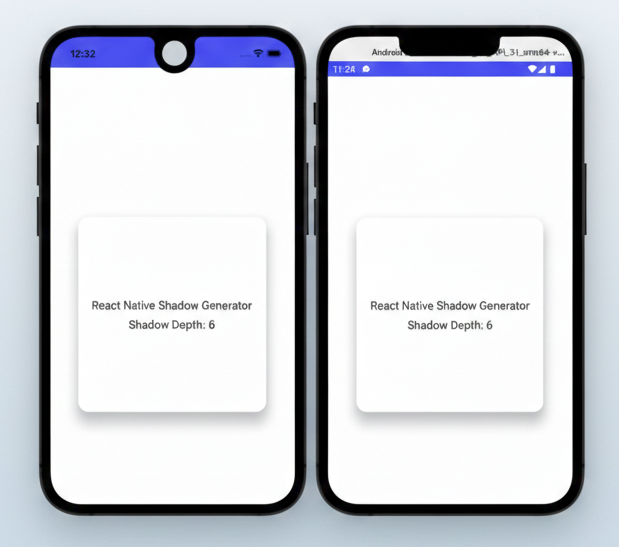
React Native Shadow Generator Interface
How to create perfect React Native shadows?
Follow these steps to generate production-ready shadow styles:
- 1
Use the Shadow Color picker to define the tone of your shadow.
- 2
Adjust Offset X and Offset Y to set the light source direction.
- 3
Tweak Opacity and Radius to achieve the desired blur and weight.
- 4
Set the Elevation property for Android users to ensure cross-platform consistency.
- 5
Check the Live Preview to see how your component will look in-app.
- 6
Copy the generated StyleSheet code and paste it directly into your React Native project.