 10016
10016Easily find text converters, image editors, and developer utilities.
Convert images to Base64 strings in various formats including Data URI, HTML Image, CSS Background, and more.
Convert images to Base64 strings in various formats including Data URI, HTML Image, CSS Background, and more.
Upload an image to convert to Base64
Image to Base64 Converter is a free online tool for converting images to base64 strings. You can select different formats as output such as raw base64, data URI, HTML Image, CSS Background Image, Hyperlink, Downloadable Hyperlink, and HTML Favicon.
Base64 is one of the most popular formats for storing any type of data as string such as images, videos or even texts. It makes it easier to store or transfer data between different applications as strings, so you don't need to worry about the format of the data. Base64 strings consist of 64 different characters which are uppercase Latin letters (26), lowercase Latin letters (26), numbers (10) and "+" and "/" symbols (2). The name of the algorithm comes from these 64 characters. Also, "=" may be used as padding. For encoding any type of images (JPG, PNG, SVG or GIF) as base64 strings, you can use the tool.
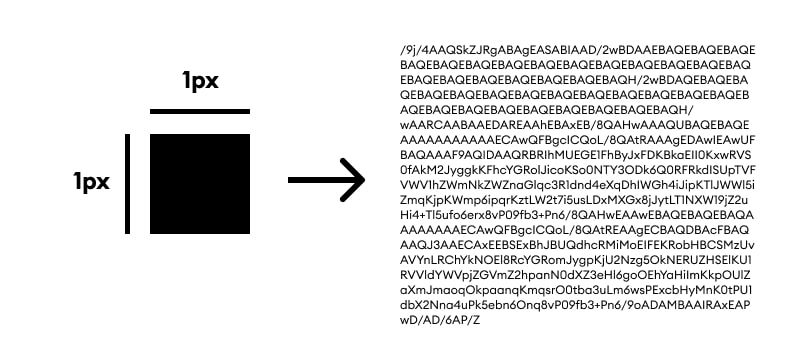
Here, you can see how a 1px-to-1px black rectangle image in JPG format is converted to base64.
When you use this algorithm on browser, you generally need to use it as data URI where you need to define the MIME type just before the raw data. For example, if you want to show a JPEG image in your page, you need to use it as src="data:image/jpeg;base64,..." or if you want to form a downloadable link to a PNG image, you need to specify it as href="data:image/png;base64,...". If you somehow want to display it on your page as text, don't forget to check if the length of the string is not too long because some browsers have restrictions for the length of text.
Base64 is also used for different purposes. For example, mail attachments are transferred with this format because of SMTP protocol restrictions. Main reason behind email attachment size limitations is this format since the length of the data becomes very large if the attachment size is too big.
How what is online image to base64 converter? works
Follow these steps to convert your image to base64 string.